
You are on a website for about three seconds when a banner slides up from the bottom of the screen or pops up in the middle of everything you were trying to read. It says something about cookies. It has an accept button and maybe a manage preferences button that leads to a page so complicated it looks like a legal document. So you click accept, make it go away, and get on with your life.
Almost everybody does this. Almost nobody knows what they just agreed to.
So let us fix that.
What Is a Cookie? And Why Is It Called That?
A cookie is a tiny text file that a website saves on your device when you visit it. That is it. It is just a small piece of information your browser holds onto on behalf of the website.
The name comes from an old computer science concept called a magic cookie, which was just a piece of data passed between programs. Not exactly the most exciting origin story, but there it is.
Think of it like a claim ticket. You walk into a restaurant, they hand you a little ticket with a number on it so they can match you to your order later. A cookie works the same way. The website hands your browser a little ticket so it can recognize you the next time you show up.
The Good Kind of Cookie
Not all cookies are a problem. Some of them are genuinely useful and make your life easier.
When you log into a website and it remembers you the next time you visit, that is a cookie doing its job. When you put things in an online shopping cart and they are still there when you come back an hour later, that is a cookie. When a website remembers your language preference or that you already dismissed a popup, that is a cookie.
These are called first party cookies. They are created by the website you are actually visiting and they exist to make your experience on that site better. These are not the ones worth worrying about.
The Kind Worth Knowing About

The cookies worth paying attention to are called third party cookies. These are not created by the website you are visiting. They are created by other companies whose code is quietly running in the background of that website without you ever seeing it.
Advertising networks, data brokers, and social media platforms embed tiny invisible pieces of code on millions of websites across the internet. When you visit any of those sites, those third parties drop their own cookies on your device. Now they can track you across every website that has their code on it, building a picture of everywhere you go online, everything you read, everything you look at, and everything you are interested in.
This is the same tracking we talked about in an earlier post. The cookie popup you keep dismissing is actually a legal requirement in many countries forcing websites to tell you this is happening and technically get your permission before doing it. When you click accept all, you are giving every third party on that site permission to track you across the internet.
Should You Just Click Accept?
Clicking accept all is the easiest thing to do and most people do it. But now that you know what you are agreeing to, here is a more useful approach.
Most cookie popups have a reject all button or a manage preferences option. If you see reject all, clicking that is perfectly fine. The website will still work. You will not lose access to anything. You are just telling the third party trackers they do not have your permission.
If there is no reject all button and only a manage preferences option, look for a way to turn off anything labeled advertising cookies, targeting cookies, or analytics cookies. Keep functional cookies or strictly necessary cookies turned on because those are the ones that make the website actually work.
If the popup is so complicated that figuring it out would take ten minutes, closing the tab and finding a different website that does not make it that hard is a completely valid choice.
How to Manage Cookies on Your Device
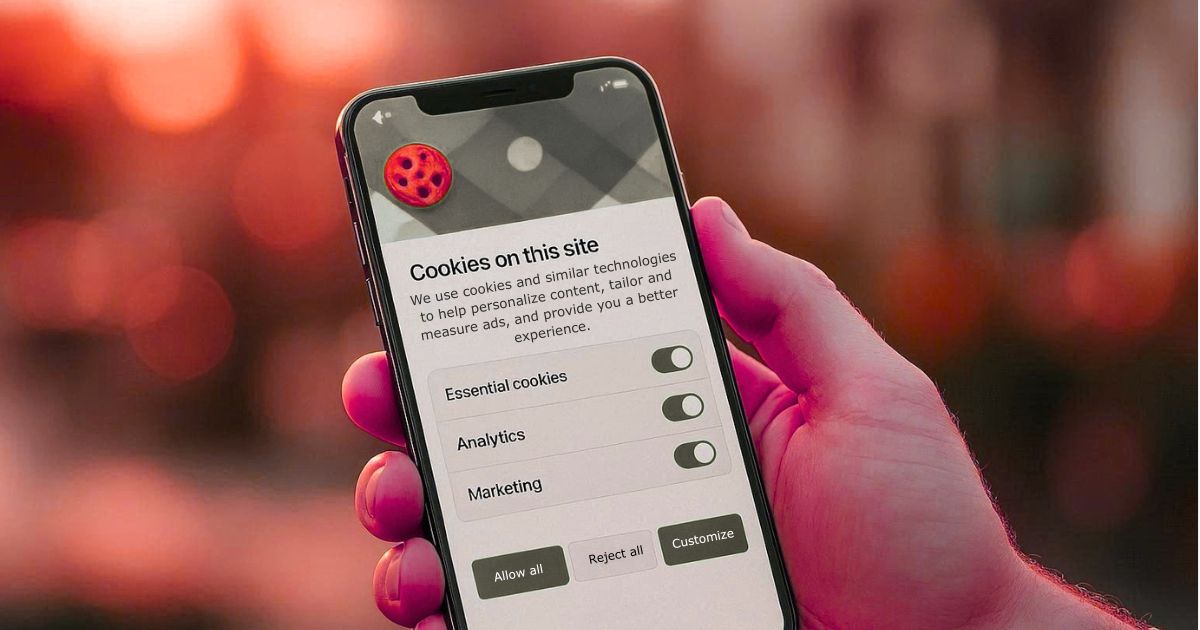
Beyond the individual popups, every browser lets you manage cookies directly from your settings. Here is the plain English version of what you can do.
On your phone or computer, go into your browser settings and look for something called privacy or cookies. From there you can clear all the cookies that have already been saved on your device, which is worth doing every now and then especially if your browser feels slow.
Most major browsers also let you block third party cookies automatically so you do not have to deal with it site by site. In Chrome, look through your privacy or security settings for an option related to third party cookies or cross site tracking. On iPhone, go to Settings, find Safari, and turn on Prevent Cross Site Tracking. Either way it is a one time change that works quietly in the background from that point on.
The One Thing Worth Remembering
That cookie popup is not just an annoyance. It is a window into something real. Every time you click accept all without thinking about it you are giving a network of companies you have never heard of permission to follow you around the internet and add to the profile they are building about you.
You do not have to become an expert in cookie management. You just have to know that reject all is always an option, it never breaks the website, and it is always the better choice.