At some point you have probably seen it. You go to log into something, maybe your email, your bank, a social media account, and after you type your password a message pops up asking if you want to add an extra layer of security. Maybe it offered to send a code to your phone. Maybe it asked you to download an app. And there was a button that said something like "maybe later" or "skip for now."
Most people skip it.
This post is about why that is one of the most consequential small decisions you make online, and why taking five minutes to set it up could be the difference between keeping your accounts and losing everything in them.
First, Understand What a Password Actually Is
A password is a secret. Only you are supposed to know it, and knowing it is supposed to prove you are you.
The problem is that passwords are not as secret as we think. People reuse the same password across multiple accounts. They choose ones that are easy to remember, which usually means easy to guess. They get stolen in data breaches that happen to companies every single day. They get tricked out of people through fake login pages and convincing emails. And they get cracked by software that can try millions of combinations per second without breaking a sweat.
To put that in perspective: in 2025, researchers uncovered a compiled dataset of 16 billion login credentials that had been quietly collected by malware and exposed online. Not 16 million. 16 billion. Passwords for accounts across Google, Apple, and more, all sitting in organized, searchable files ready to be used by anyone who wanted them.
A password alone is not proof that you are you. It is proof that someone knows your password. And after a breach like that, that someone might not be you.
What MFA Actually Is
Multi factor authentication, usually called MFA or two factor authentication or 2FA, is built on a simple idea. Instead of proving who you are with just one thing, you prove it with two.
Those two things fall into categories. Something you know, like a password. Something you have, like your phone. Something you are, like your fingerprint or your face.
When you turn on MFA, logging in requires both your password and a second proof. Usually that is a short code that gets sent to your phone or generated by an app on your phone. The code changes every thirty seconds and only works once. The idea is that even if someone steals your password, they still cannot get in without also having physical access to your phone at that exact moment.
Think of it like your front door. A password is the lock on the handle. MFA is the deadbolt above it. A determined person can get through one. Getting through both is a completely different problem.
Why This Matters More Than You Think
Here is what actually happens when someone gets into your email account.
Your email is the master key to your entire digital life. Almost every account you own uses your email address to reset your password. Once someone is inside your email, they request a password reset on your bank. Then your investment accounts. Then your online shopping accounts with your saved credit card. Then your social media. One stolen password becomes a complete takeover of everything attached to that email address, and it can happen in minutes.
This is not a hypothetical. It happens to ordinary people every day. Not just celebrities or corporations. Regular people who used the same password they have had for years and never thought about it again.
With MFA turned on, a stolen password is nearly useless on its own. The attacker would also need your phone, physically in their hands, generating the right code at the right second. That is a completely different level of difficulty and it stops the vast majority of account takeover attempts before they start.
What It Actually Looks Like
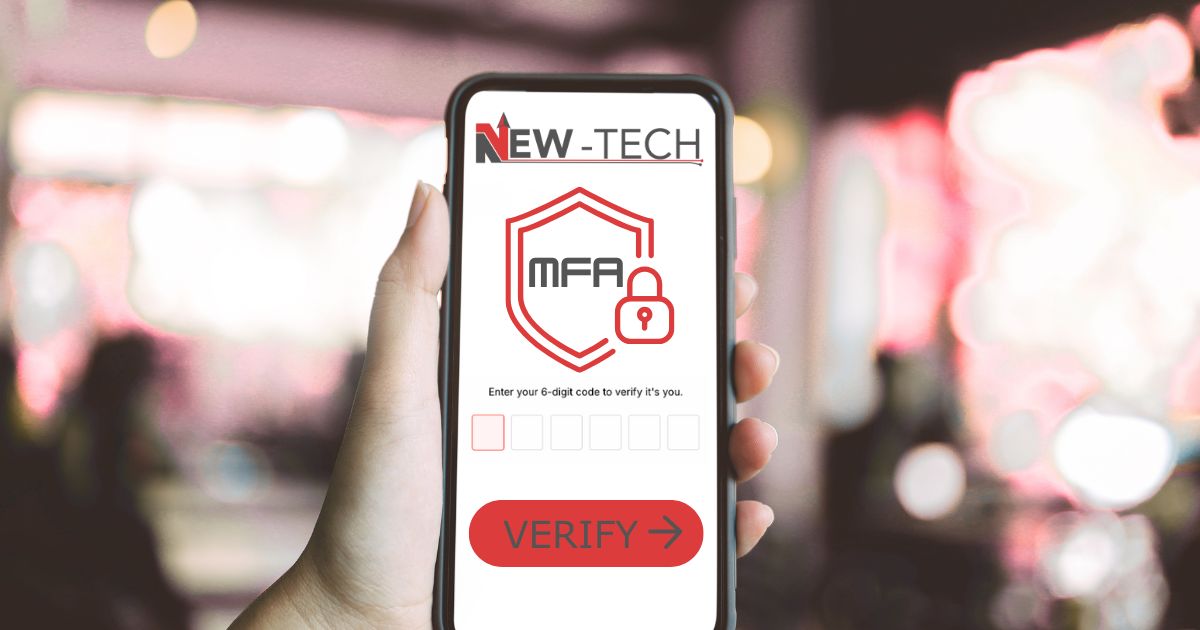
This is the part most explanations skip. So let us walk through what you actually see.
When you log into an account that has MFA turned on, you type your password as normal. Then instead of going straight in, the site pauses and shows you a screen that says something like "Enter the code we sent to your phone" or "Enter the code from your authenticator app." You check your phone, type in the six digit number you see, and you are in. That is it. The whole thing adds about ten seconds.
When you are setting it up for the first time, the site will show you a QR code on screen. You open your authenticator app, point your phone camera at that QR code, and the app starts generating codes for that account automatically from then on. You never have to scan the code again.
The Two Apps Worth Using
There are two authenticator apps that are worth knowing about and both are free.
Microsoft Authenticator is available on iPhone and Android. It generates codes for any account that supports MFA, not just Microsoft accounts. It also has a feature that lets you approve logins with a single tap rather than typing a code, which is even faster. If you use Microsoft products like Outlook or a work account, this one integrates particularly well.
Google Authenticator is also available on iPhone and Android. It is slightly simpler with fewer features but extremely reliable. It generates codes for any MFA supported account just like Microsoft's app.
Either one works for any website or service that supports MFA, which is nearly all of them now. You do not have to use Google's app for Google accounts or Microsoft's app for Microsoft accounts. Pick whichever one you prefer and use it for everything.
A text message code sent to your phone is also an option most services offer. It is better than nothing and easy to set up. The one weakness is that phone numbers can sometimes be hijacked by criminals who convince your carrier to transfer your number to their device. It is not common but it happens. If you use a text message code for your most important accounts, consider upgrading to an authenticator app when you get the chance.
The Excuses People Make
It is one more step every time I log in.
Yes. One step. About ten seconds. Weighed against handing a stranger the keys to your bank account, your email, and your identity, ten seconds is the best trade you will ever make.
I do not have anything worth stealing.
This is worth addressing directly. Criminals running these attacks are not targeting you specifically. They are running automated software across millions of stolen credentials at once, trying every combination until something opens. Your bank account does not need to have a lot in it to be worth draining. Your identity does not need to be famous to be worth stealing. And your email does not need to contain secrets to be worth hijacking and using to scam everyone in your contact list.
What you have is worth more than you think. And it costs less effort to protect than you probably assume.
Where to Start
Turn it on for your email first. That is the most important one. Then your bank and any financial accounts. Then anything else that matters to you.
When you log into a service, go to the account or security settings menu. Look for something called two factor authentication or multi factor authentication or login verification. Follow the steps. It takes a few minutes the first time and then it is just part of how you log in.
The prompt you kept skipping was trying to help you. Now you know why.
What Is Coming Next: Passkeys
You may have started seeing a new option on your phone or computer called a passkey. It sounds technical but the idea is straightforward.
A passkey replaces your password entirely. Instead of typing a secret word, your device proves who you are using your fingerprint, your face, or your device PIN. Nothing gets sent across the internet that could be intercepted or stolen. There is no password to guess, no code to trick you into handing over, and no database of passwords on the company's end to breach, because the company never holds your password to begin with.
Many major services already support passkeys. When you see the option to set one up, it is worth doing.
That said, passkeys are not perfect and it is worth being honest about that. Security researchers have found real vulnerabilities. Passkeys that sync across your devices through the cloud, which is the default on most phones, inherit whatever security weaknesses exist in that cloud account. Researchers have also demonstrated attacks using malicious browser extensions that can interfere with the passkey process, though these require the attacker to already have partial access to your device. Most of these vulnerabilities have been patched but the honest truth is that no technology is bulletproof.
What passkeys are is significantly better than a password alone and at least as good as MFA for most people in most situations. They are not a reason to panic and they are not magic. They are the next step in a long process of making digital security more reliable and harder to defeat.
The right approach for right now is this: turn on MFA with an authenticator app for your most important accounts today. Set up passkeys wherever the option exists. And understand that security is not a single decision you make once. It is a habit you build over time.